Adapter field guide
USB-C to DC: verify power direction
Connector fit and a 100W label are not enough. Check the PD profile, intended power direction, and DC connection before use.
Key engineering point
USB-C PD negotiation allows power delivery. It does not prove that the adapter blocks voltage traveling backward from the DC side.
01 · Electrical boundary
The plug shape does not tell you power direction.
Start by drawing the path: source, conversion, cable, then Mini. The adapter fixes one handoff inside that path; it does not create power or make two similar-looking connectors electrically compatible.
Starlink lists Mini at 12–48V input, a 60W input rating, and 25–40W average consumption. Its official USB-C accessory path calls for a 100W USB PD source with 20V/5A capability. ↗
Distinguish three electrical concepts
Do not energize the same chain from both ends. For any USB-C-to-DC adapter, ask what blocks reverse current, on which production revision, and how that result was measured. A protection icon is not test evidence.
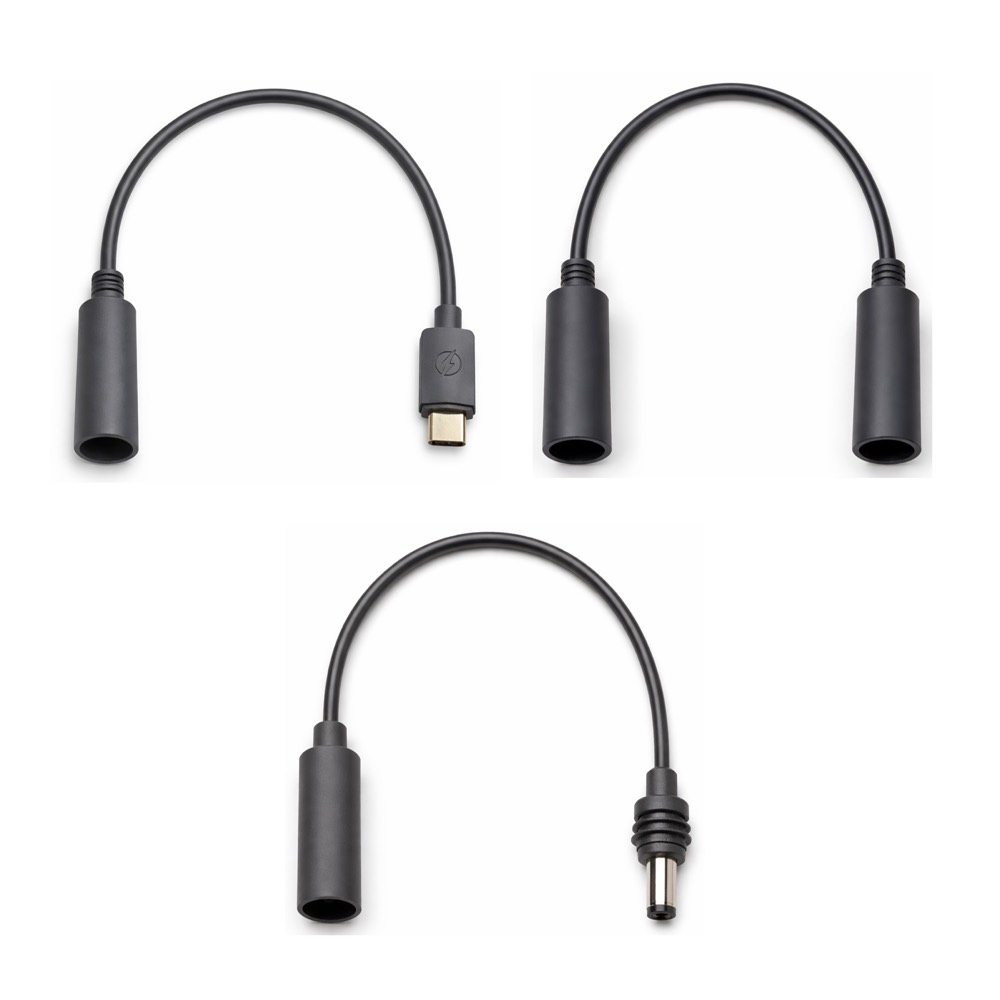
The WEYLCORE Starlink Mini 3-in-1 Adapter Kit handles individual connector jobs. For a complete power run, compare the 16AWG cable-kit lengths.
02 · Part selection
Choose the adapter by the job it must do.
The three pieces look related, but they solve three different connection needs. If your need is not in the first column below, adding another adapter is unlikely to help.
| What is missing? | Use | It does not solve |
|---|---|---|
| USB-C PD source to a DC5521 cable | USB-C-to-DC5521 adapter | Wrong PD profile or unsuitable cable |
| Two compatible male DC5521 ends | Female-to-female coupler | Polarity, load, or cable-quality mismatch |
| Recessed port blocked by a mount | Female-to-male port adapter | More cable length or electrical conversion |
The port-access adapter solves geometry. It brings a recessed connection outward so the plug can seat straight and the cable can leave without a hard bend. If the route needs several improvised handoffs, use a complete cable path instead.
03 · Contact heating
A small contact can become the hottest point.
Every junction adds contact resistance, and heating follows P = I²R. At 3A, a 0.1Ω contact dissipates 0.9W in a very small area. That is enough for the connector to run hotter than the cable beside it.
A nominally compatible barrel plug may still produce an unreliable junction. Inner diameter, contact spring pressure, insertion depth, polarity, contamination, and cable strain all affect contact quality. Support couplers rather than allowing them to carry cable weight, and keep junctions dry and visible.
| What you see | What it suggests | First check |
|---|---|---|
| Nothing starts | No valid source contract, wrong polarity, or open connection | Source profile, polarity, and each handoff in order |
| Restarts under load | Voltage margin disappears as current rises | Long cable, small conductors, or resistive contact |
| One connector heats first | Localized contact resistance | Insertion, fit, strain, contamination, or damage |
| Plug cannot seat behind a mount | Mechanical clearance problem | Bring the port outward; do not force the cable |
04 · Pre-use verification
Complete a 60-second pre-use check.
- Source: for USB-C, confirm one port supports 20V/5A and at least 100W.
- Direction: keep one active source and one intended flow.
- Fit: verify DC5521 dimensions, gender, polarity, and full insertion.
- Cable: for longer runs, prefer a 16AWG path and keep it as short and direct as placement allows.
- Run: test under real load for restarts, looseness, or unusual heat.
Evidence boundary: The voltage and USB-C requirements come from Starlink and USB-IF primary sources. The reverse-feed discussion is a design and verification lesson, not a blanket claim that every USB-C-to-DC adapter includes reverse blocking. That claim must follow the exact circuit and production revision.
Starting from a vehicle outlet? Continue with the 30V vehicle-power guide. Choosing placement and cable length? Read Starlink Mini Power Cables Explained.
View the exact kitCompatibility note: Confirm the source profile, connector fit, included parts, and current product instructions before use. Keep USB-C and adapter junctions dry and free of strain. WEYLCORE is an independent accessory brand and is not affiliated with, endorsed by, or sponsored by Starlink or SpaceX.